Rejuventangle® Rejuvenate with Zentangle®
Requirements for Posting Events
All Events Must Be...

1. Online
2. Taught by CZTs
2. Open to all Tanglers
Changes to your post

Once a class has been posted, there is no way for you to edit it. If you need to make changes, create a new post and tell the admin (Jacki Rose) to delete the old one. However, if it's a minor change like one word or time change, contact the admin to make that change for you.
Questions/ASsistance
Questions/ASsistance
After reviewing this page and watching the video, if you still need help, contact us for assistance.
how to fill out submit form
Click the submit button
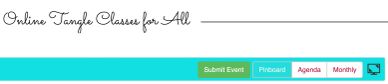
Go to: www.Rejuventangle.com - (or click the "home" button on this site). Scroll down to the calendar and click the "Submit" button. If you are using a smart phone, you will need to turn your phone sideways.
Your Name must be listed

Include your name in the Event Title or Description so that people know who is teaching the class. Please note that the first 2 lines on the form (Name & Email) will not show up on the calendar so please be sure it's in the title and/or description.
Time Zone - DO NOT CHANGE
Time Zone - DO NOT CHANGE

Event times should be listed in America/NY - Eastern time. Please do not change this as it is already pre-set. If you are in a different time zone, include it in the description box. Here is a Time Converter... .
course with more dates
Time Zone - DO NOT CHANGE
For courses with multiple dates, include the first date of class and then refer to "repeating events" above. Or, just create a different post for each class and include all dates in the description. Let them know they can still register and receive recordings of previous classes.
Repeating Events

If you have a class that repeats exactly as is with the only change being dates, the admin will do it for you. Just post your first event and email Jacki with the additional dates.
Add Link for registration

Include a link to where students can read more and register for your class. Click on the box "add a button..." Copy & paste your link in the appropriate box. Type the text you want in next box (i.e. register).
Event Description

Include as little or as much as you like. A brief description with a link to click for more information is great if it is listed on another site like Eventbrite or your own website.
Upload an Image

It is very easy to upload an image. Click "Add Event Image" and follow prompts. Leave Image Alt Text section blank.
Do Not Fill in Keywords

Keywords, Tags, Categories - leave this section blank. No keywords, tags or categories are necessary.
location/ONLINE INFO

Location/Online info - LEAVE BLANK. No need to fill in any part of this section unless you are including an actual Zoom Link.
Zoom Link

If you want to include your Zoom Link in your post, put it in the section:
Online Event Location Link (e.g. skype/zoom/hangouts link) and write what text you want for it in the section above it (i.e. Join the meeting, Zoom Link, Join live).
Submit
If you have watched the video and reviewed the instructions on how to complete the Submit Form, you are now welcome to post your classes to the Rejuventangle Calendar.